Where is the product information label?
These products belong to the group:
Desktop PC, All-in-One-PC
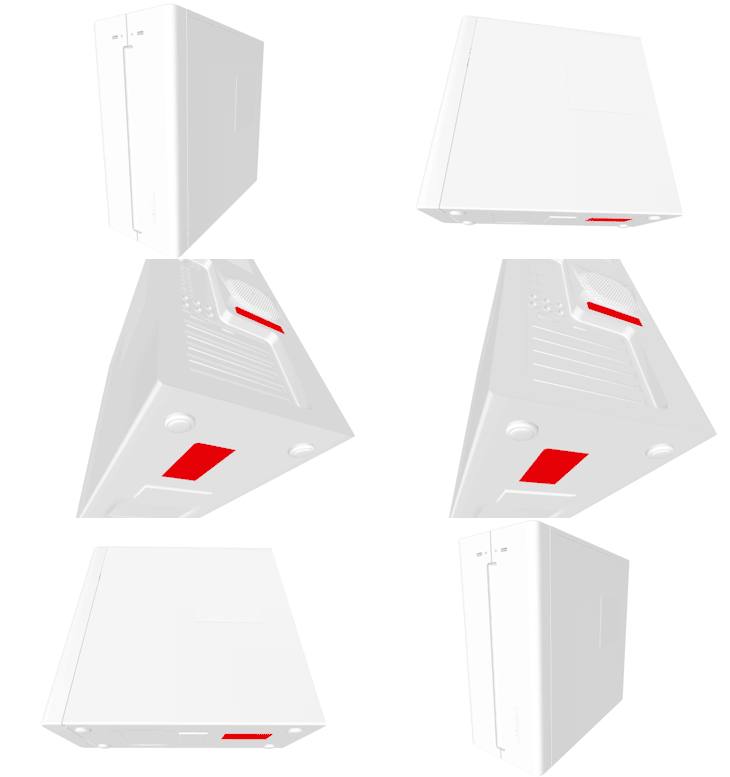
Where is the label? You will find the product label with the relevant information on the bottom or back of your product.
What information is there on the product information label
All products
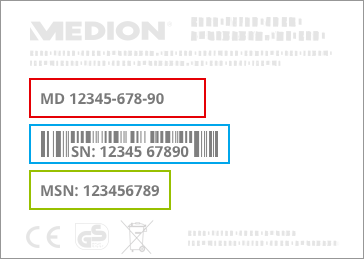
- Project and product name
- Serial number
- MSN number
Detailed information
MEDION has its own article numbers, which are called MSN. They serve to identify a product series and enable us to offer you targeted information on a product or service. This only requires the MSN of the main article, for example the MSN of the PC, but not the MSNs of the included keyboard or mouse.
Our products (main article) are always an 8-digit number - the MSN - which begins with the numbers 1 ..., 3 ... or 5 ..., for example MSN 10011234, MSN 30011234, MSN 50011234.
The serial number, if present, identifies the individual product from a family of products this can be 17-digits long on desktop computers and up to 30 on other products. This consists of numbers and letters and is called "SN", "Serial Number" or "Serial No." marked on the product label on the product, for example MED S / N 1C171010010000.
 Support